x
Mostrando entradas con la etiqueta iPad handwriting apps. Mostrar todas las entradas

domingo, 14 de junio de 2015

Turn Your iPad Into A Personal Notebook with This Wonderful App

June 14, 2015
Use Your Handwriting Gold (UYH) is  an excellent app that turns your iPad into a personal notebook. The app is now free for a limited time, it’s regular price is $9,99.  This gold version of the app comes with a variety of advanced features that make your digital handwriting a super easy task. You can easily finger write quick notes and messages on your iPad  and save or share them with others. For those of you interested in creating artistic and colourful notes for special occasions (e.g greetings, birthdays..etc), UYH does a perfect job. It has special multicolour lists to bring out the artist in you.


Other interesting features provided by UYH include:

Beautiful Calligraphic Writing Styles: 
You can choose between five different writing styles to enhance your calligraphy

Calendar
UYH provides you with a unique calendar where you can annotate days with handwritten notes.

Lists
UYH allows you to create lists and sublists and include as many notes as you want.

Cloud Syncing
“You can sync notes across any number of devices via www.myuyh.com. You can even publish your notes as web pages and view them online. The website lets you view your notes in several formats suitable for brainstorming and mind mapping.”

Watch this short video to see how UYH works.


sábado, 14 de febrero de 2015

4 Powerful iPad Apps for Teaching Kids Handwriting

February 14, 2015
Today as I was sifting through Apps Gone Free searching for  new deals on educational apps, I came across iTrace. This is one of my favourite app for teaching kids handwriting. The app, which I have featured in multiple posts in the past, is free now. There are also several other similar apps that are ideal for helping kids and toddlers develop handwriting skills and proper letter formation. I have curated some of them in the list below.

1- iTrace


iTrace teaches your kids how to write letters, numbers and words. It is meant for 3-7 age group and kids can use it to trace uppercase and lowercase letters and numbers. It also provides print paper worksheets and supports multiple methods of writing letters. iTrace saves the entire history of each child’s progress and offers more than 600 rewards to motivate kids to write.

2- Writing Wizard


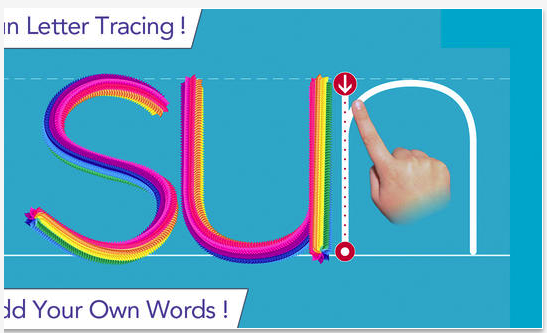
Writing Wizard is designed to help every child learn how to trace letters and words through a fun system carefully designed to maintain motivation. The app is fully customizable to suit every child's needs, and lets you check their progress through a system of reports and profiles. You can even add your own word lists !

3- LetterSchool


Play to learn how to write all letters of the alphabet: abc - xyz and the numbers 1-10 with LetterSchool. Kids practice essential skills as they play four exciting games per letter or number.

4- iWriteWords


iWriteWords teaches your child handwriting while playing a fun and entertaining game.Help Mr. Crab collect the numbered balls by dragging him with your finger - and drawing the letter at the same time. Once all the letters in the word are drawn properly, a cute drawing appears.
Slide the letters into the spinning hole and advance to the next level.